
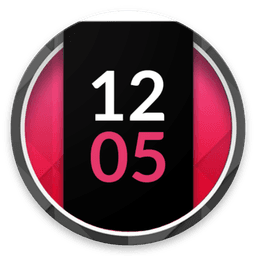
Screenshots
About Always on AMOLED | Play Edition (No Ads)
Always on AMOLED | Play Edition (No Ads) transforms your locked screen into a fully interactive hub, letting you stay connected without waking your phone. This groundbreaking always-on display app puts notifications, time, weather, music controls, and shortcuts within instant reach — all while keeping your AMOLED screen beautifully lit and protected.
Stay in control of every notification without unlocking your device. Reply directly to SMS, WhatsApp, Facebook Messenger, and countless other messaging apps straight from your always-on display. Swipe left to dismiss, right to hide for later, or tap action buttons embedded in notifications. With password-protected access, your private messages and notifications remain secure even when your screen is off.
Customize every detail to match your style. Choose from multiple clock styles including animated, analog, digital, and sticker designs. Add edge lighting with infinite color combinations, upload your own HD backgrounds, or select from stunning presets. Adjust text size, fonts, colors, and icons to create the perfect always-on experience. Set custom app shortcuts for quick access to your camera, flashlight, calculator, calendar, or any app you use most.
Enjoy powerful music controls, battery status with charging estimates, and a full calendar view with custom events — all visible at a glance. The sketch pad lets you jot quick notes or doodle without opening another app. Pocket mode keeps your display functional on the go, while automatic anti-burn-in technology protects your screen with intelligent movement patterns.
With multiple screen orientations and notch support, Always on AMOLED | Play Edition (No Ads) adapts perfectly to your device. Set custom start and end times so your always-on display activates only when you need it, and let automatic battery-saving rules optimize performance. The included Tasker plugin unlocks endless automation possibilities.
No complicated setup required — everything works beautifully out of the box, and every feature is fully customizable to suit your preferences. Experience the ultimate always-on display that puts information and control at your fingertips, 24/7.
Pros & Cons
Pros
- Reply to messages directly from the lock screen without unlocking your phone
- Highly customizable clock styles, colors, backgrounds, and app shortcuts
- Built-in anti-burn-in protection with automatic intelligent movement patterns
- Music controls, calendar view, and battery status visible at a glance
Cons
- Constant always-on display will noticeably increase battery drain over time
- Requires notification access and message reply permissions for core functionality
- AMOLED screen damage risk remains despite anti-burn-in, especially with static elements
- Limited to Android devices with AMOLED displays; incompatible with LCD screens
Related Apps

AlienGUIse
Desktop themes and manager for Windows — transform your system with 5 futuristic designs.

SharpKeys
Remap keyboard keys to launch apps, media controls, and custom commands on Windows.

RocketDock
Desktop launcher for Windows — quick access dock with customizable icons and positioning.

Custom Resolution Utility (CRU)
Display resolution utility: Create custom resolutions for your monitor with precise refresh rate control.

Lagguy Wallpapers
Lagguy
4K & HD wallpapers for Android — minimal, abstract, nature, AMOLED designs with lifetime access

Lock Screen OS
Apps Genz
Customize your lock screen with widgets, photos, and notifications. Replace Android's default lock screen.
Latest Articles

Play a free Color Ball Sort Puzzle-style game in your browser (no download)
Oct 6, 2026

Play a free Beach Buggy Racing-style kart racer in your browser (no download)
Oct 6, 2026

Play a free Alto's Adventure-style game in your browser (no download)
Oct 6, 2026

Free online whiteboard like Jamboard: use Quickboard in your browser, no signup
Oct 6, 2026

Free online running pace calculator: splits, race predictor and daily challenge, no download
Oct 6, 2026